



Your Setup is the default mode on the Setup tab. It displays every setup parameter LMU stored inside the .duckdb file when you recorded the session.
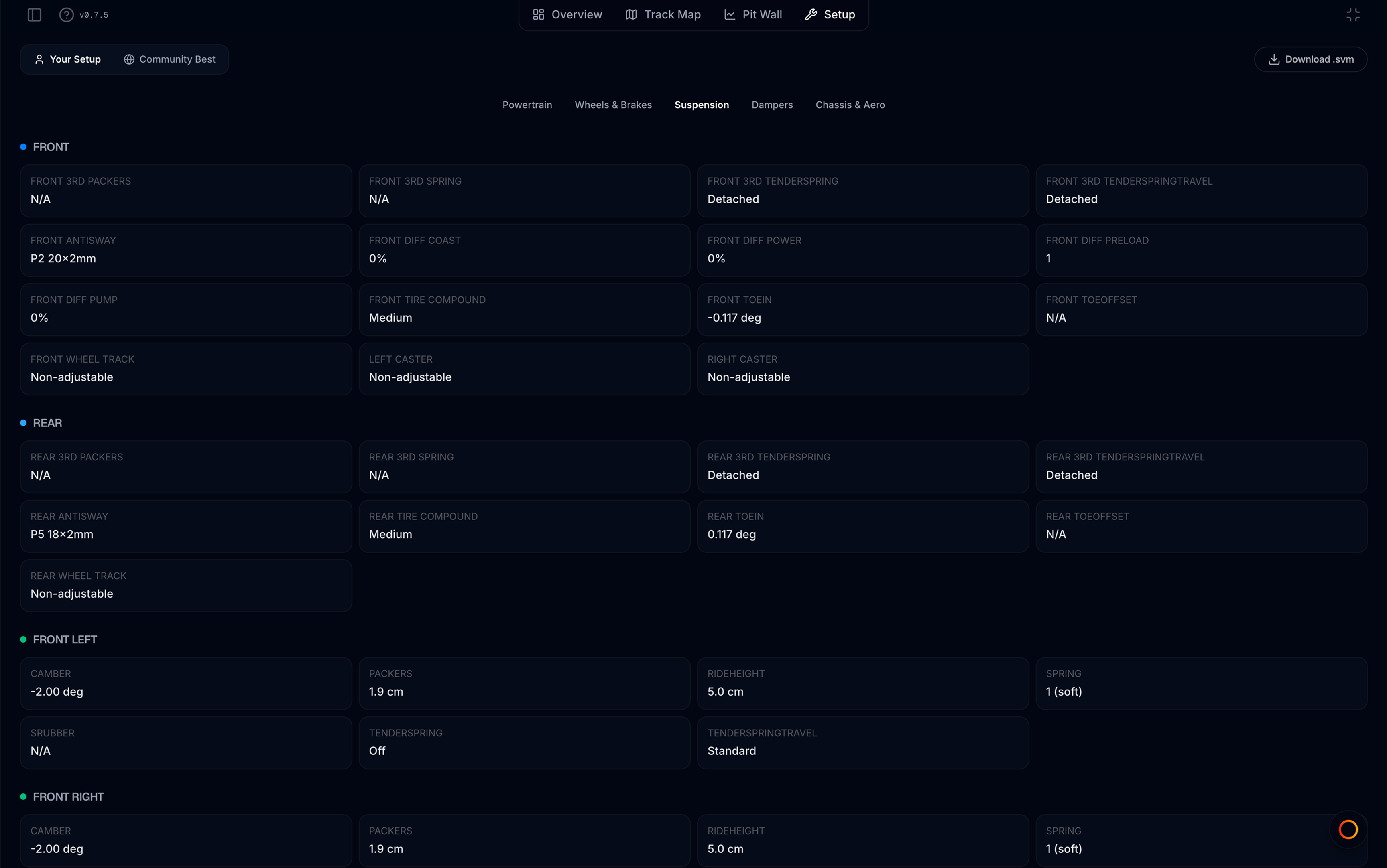
Open Your Setup
- Open a telemetry file in the viewer
- Click Setup in the tab bar
- Ensure Your Setup is selected (user icon) in the mode toggle
How setup is loaded
MyLMU reads setup JSON from the file’s metadata — typically a CarSetup field or any metadata block containing VM_ / WM_ setup keys. Values are the same ones LMU wrote at recording time; MyLMU does not recalculate or modify them.
If setup was already cached on the file record, it loads immediately with the viewer.
Category tabs
Five tabs mirror the in-game setup screen. Tabs with no data for this car are disabled (greyed out). The first tab with values opens automatically.
| Tab | Typical contents |
|---|---|
| Powertrain | Diff ramps and preload, gear ratios, traction control, ABS, engine maps, hybrid settings |
| Wheels & Brakes | Brake bias and pressure; tyre compound, pressure, and wear per corner |
| Suspension | Ride height, spring rates, arb settings — often split Front / Rear or per corner |
| Dampers | Slow/fast bump and rebound per corner |
| Chassis & Aero | Front/rear wing, radiator, splitter, fuel load, ballast, steering ratio |
Subsections
Each tab divides parameters into labeled subsections with a colored dot (e.g. Brakes, Tyres — Front Left, Engine & Electronics). Cards show:
- Label — human-readable setting name (from LMU captions when available)
- Value — the recorded setting
Settings marked unavailable in the source data appear faded — the car or session did not expose that parameter.
Special entries
Some non-scalar fields appear as summary cards:
- Gear Graph — number of forward gears
- Symmetric Setup — whether the recording used symmetric left/right values
Download .svm
When setup data exists, Download .svm appears in the header. This exports your session setup for Le Mans Ultimate — see Export to SVM.
Empty state
No car setup data found in your telemetry file
Common causes:
- Practice session recorded before setup metadata was saved
- File recorded outside LMU’s normal telemetry pipeline
- Corrupted or truncated metadata in an old upload
You can still use Track Map and Pit Wall — only the Setup tab is affected.
Community and Coach
- Browse faster drivers’ setups on the same track with Community Best (Pro) — Community setups
- Ask Coach to interpret your setup in Telemetry mode, or attach a baseline
.svmfor change suggestions — Setup attachments