



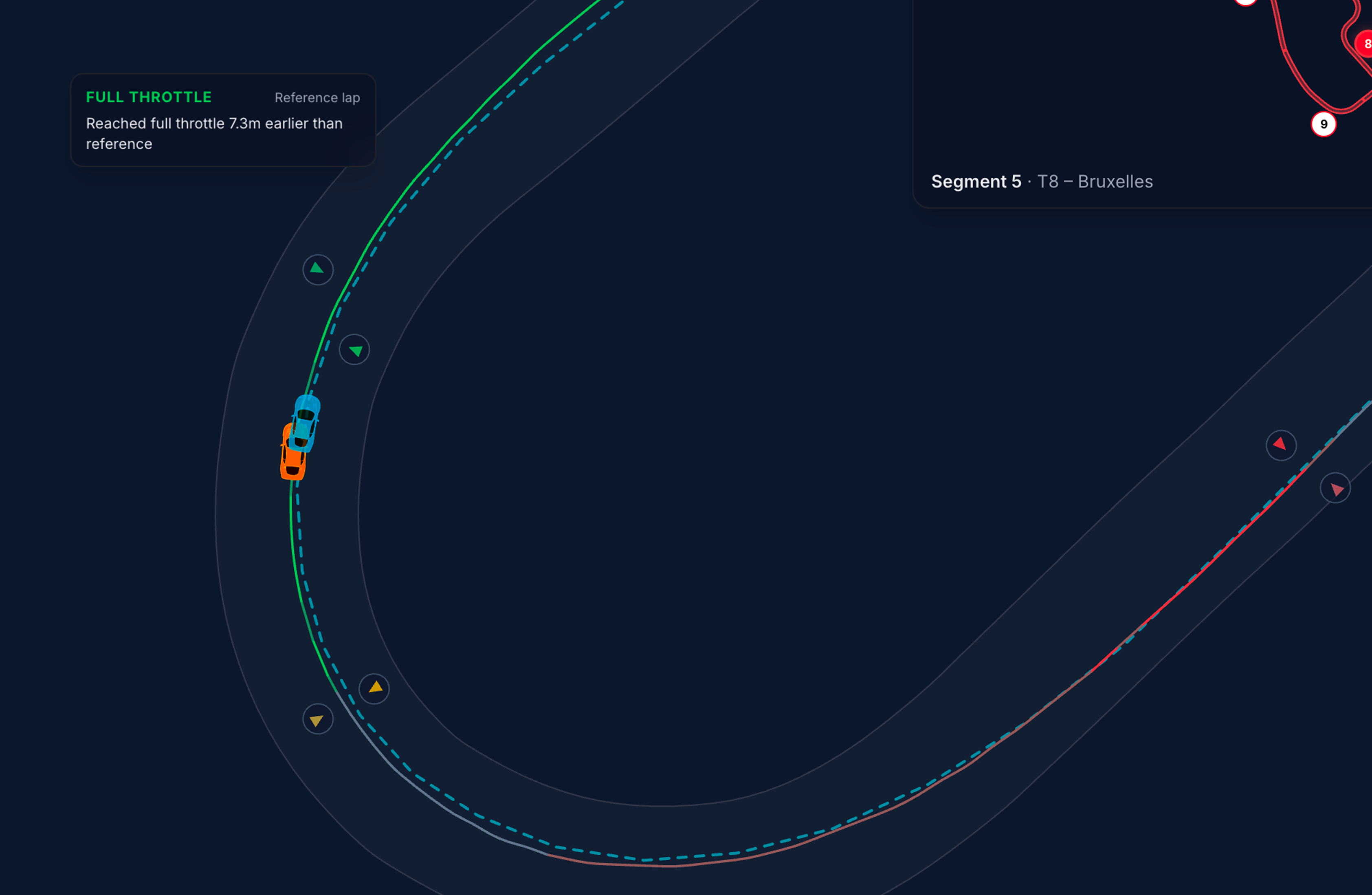
Comparison markers highlight where you differ from the reference lap on the 2D track map — per corner, for braking, minimum speed, and full-throttle application.
Marker types
MyLMU places up to three marker pairs per detected corner — one on your line, one on the reference line:
| Label | What it marks | Driving insight |
|---|---|---|
| BRAKING | First significant brake application in the corner | Earlier or later brake point vs reference |
| MIN SPEED | Slowest point (apex) in the corner | Carrying more or less minimum speed |
| FULL THROTTLE | Where you reach full throttle after the apex | Earlier or later throttle application |
Markers use slightly different shades for your lap vs reference so you can tell them apart at a glance.
On the map
- Markers appear on the 2D track map during replay and update as you scrub the timeline
- Hover a marker for a tooltip — distance or speed comparison vs reference (e.g. how many metres earlier you braked)
- Markers are 2D only — switch to 2D with
Mfor this view
Requirements
- Reference lap selected (best, picked lap, external, or community ghost)
- 2D map view
- Enough GPS data to detect corners on both laps
Toggle visibility from the gear panel: Comparison markers — see Map display preferences. The toggle is disabled until a reference is loaded.
How to read markers
| Pattern | Likely meaning |
|---|---|
| Your BRAKING marker before reference | You braked earlier — may be safer but can cost entry speed |
| Your BRAKING marker after reference | You braked later — may carry more speed or miss the apex |
| Your MIN SPEED inside reference | You were slower at the apex — check line or brake point |
| Your FULL THROTTLE after reference | You picked up throttle later — common time loss on exit |
Always cross-check with the Throttle / Brake traces and the live delta in the driver strip.
Suggested workflow
- Load a reference ghost from the driver strip
- Switch to 2D and ensure Comparison markers is on in display preferences
- Scrub to a corner with red segment delta on the mini map
- Compare BRAKING and FULL THROTTLE marker positions
- Open Traces to see the input trace through that corner